Home · Platform

The platform

WhatsApp and web chat, from a single interface

Instead of a chat tool on one side, a CRM on the other, a chatbot bolted on and an analytics tool that talks to nobody: one workspace, shared by marketing, sales and support.

Conversational studio

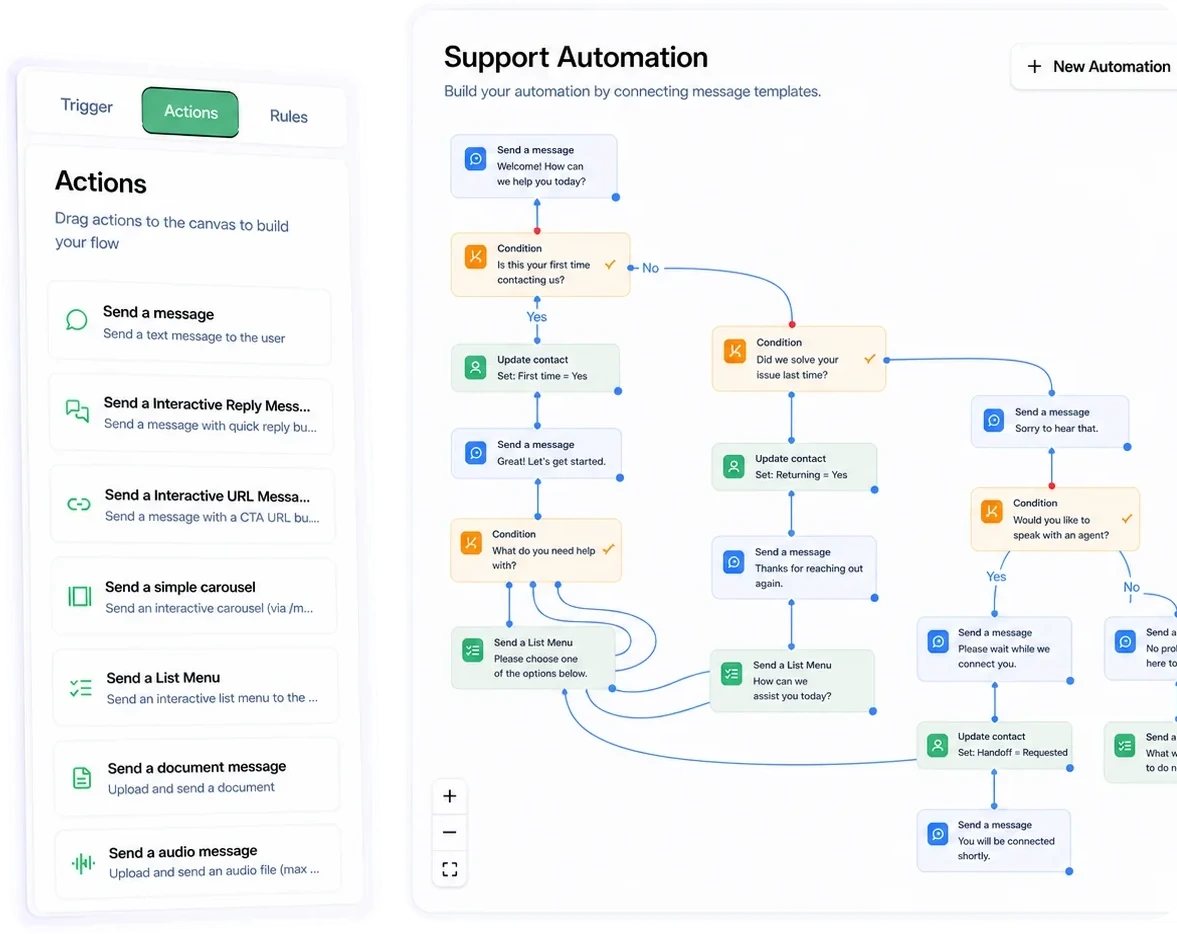
Build your journeys by drag and drop: qualification, appointment booking, product recommendation, follow-up. Without writing code.

  • Conditions, branches and variables pulled from the contact record
  • Calls to your APIs to fetch a piece of data in real time
  • Test the scenario on your own number before publishing
  • Versioning and rollback on every published scenario
Studio conversationnel : éditeur de scénario par glisser-déposer
Création d'une campagne avec aperçu du template WhatsApp

Campaigns and templates

Targeting by segment, attribute or behaviour, with Meta-approved templates and deliverability tracked in real time.
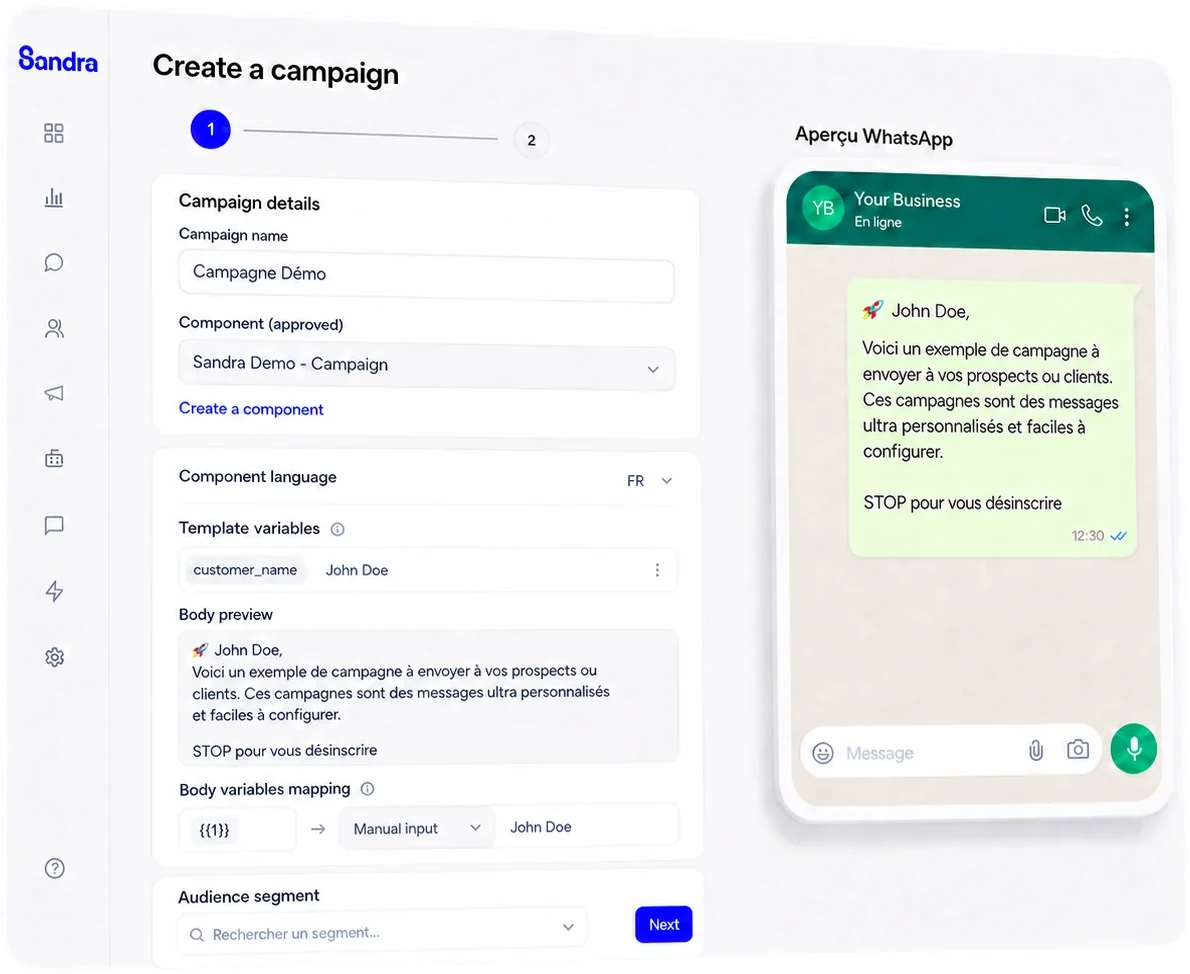
  • The Meta approval cycle handled directly in the interface
  • Personalisation by variable, media and action buttons
  • Scheduled sending, rate capping and a considerate sending window
  • Automatic unsubscribe propagated to every segment

Business AI agents

Agents fed by your products, your processes and your tone of voice, not a generic chatbot dropped on top of an FAQ.

  • Knowledge sources: documents, product catalogue, pages from your website
  • Explicit escalation rules: what the agent is not allowed to handle alone
  • Model-agnostic: you choose the provider on cost, latency and data residency
  • Every answer can be reviewed, corrected and traced

Available models, with the processing documented for each:

  • OpenAI
  • Anthropic
  • Google Gemini
  • Mistral
  • Infomaniak
  • DIGLM

No customer data is used to train the models. The processing detail is on the security page.
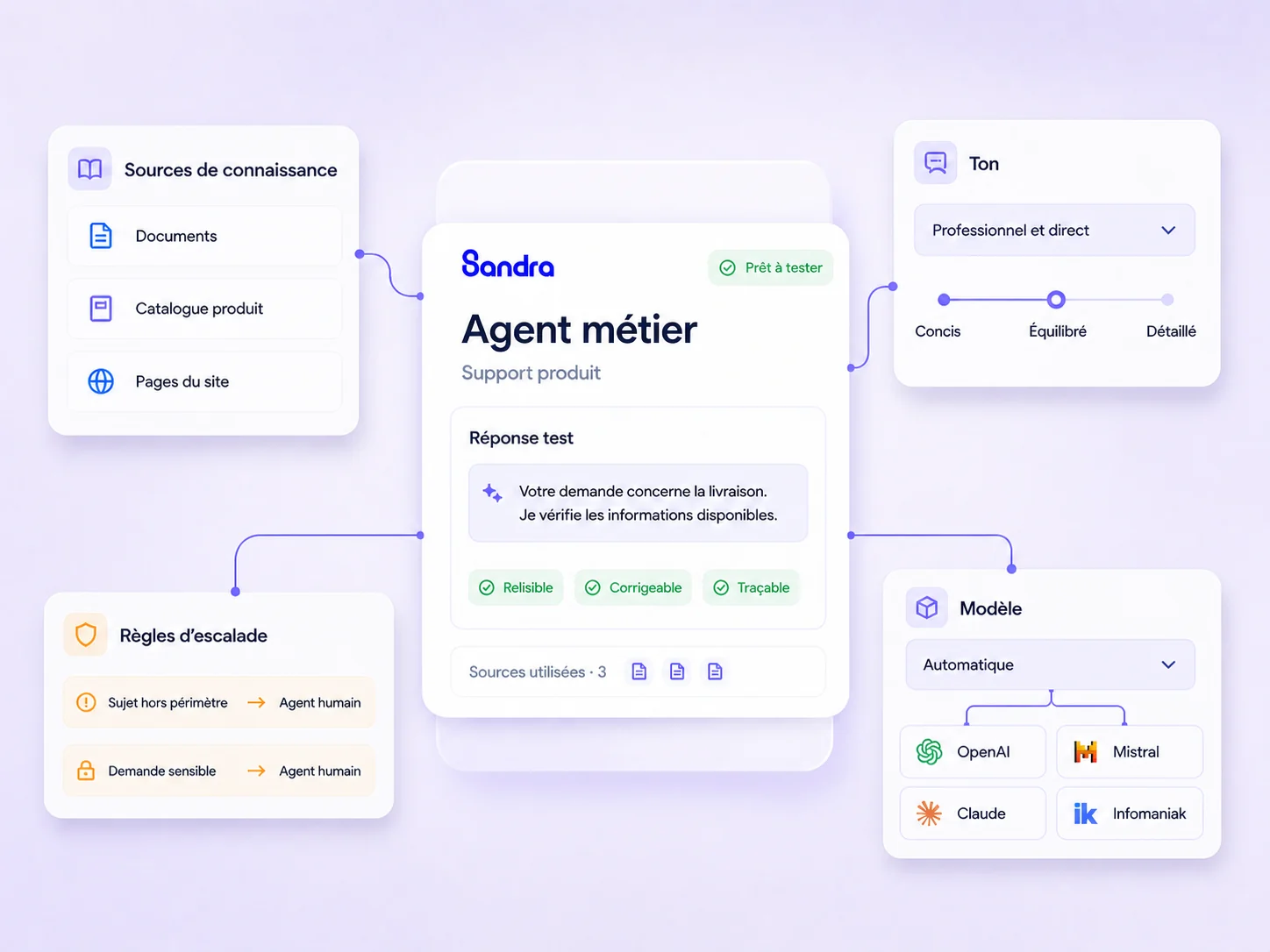
Configuration d'un agent métier Sandra : sources de connaissance, règles d'escalade, ton et choix du modèle
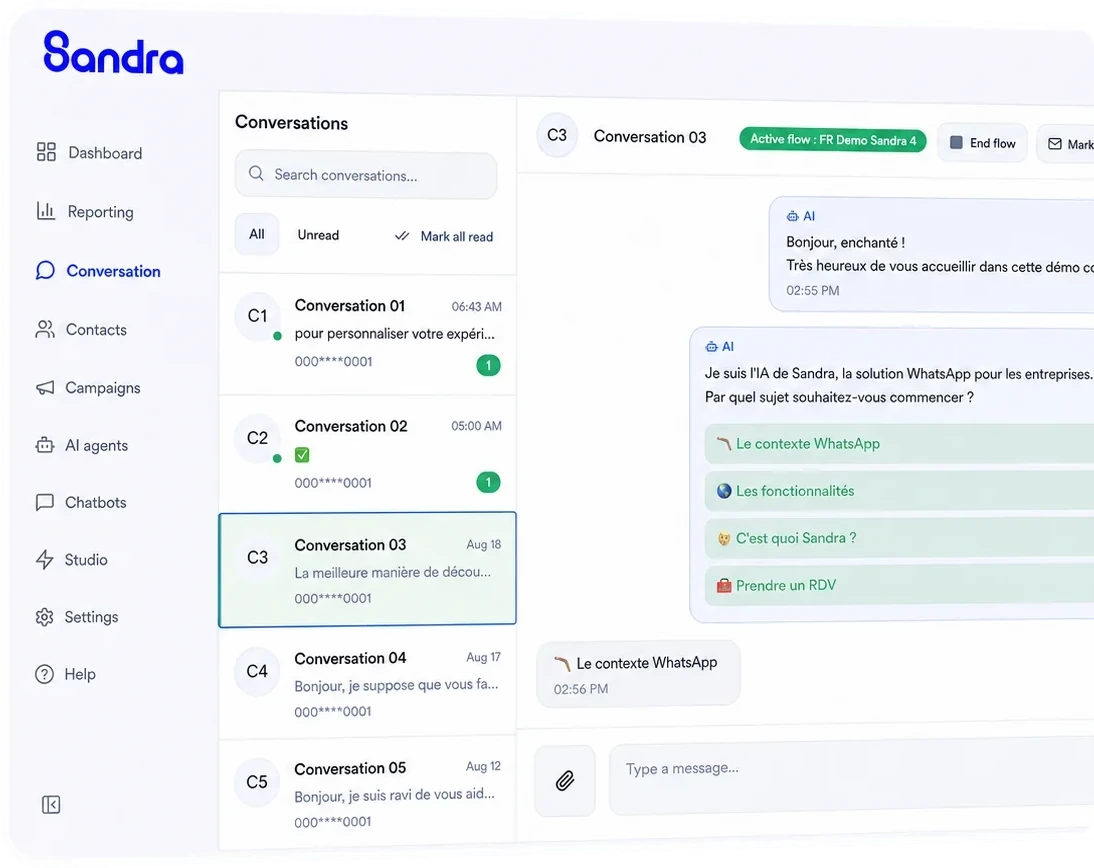
Inbox Sandra : liste des conversations, fil de discussion et panneau contact

Unified inbox

All your WhatsApp and web chat conversations in a single view, filtered by team, by status or by segment.

  • Manual assignment, or automatic by rule
  • Internal notes the customer never sees, and mentions between colleagues
  • The contact's full history one click away, including after a change of adviser
  • Saved replies and keyboard shortcuts for frequent cases

Contact management

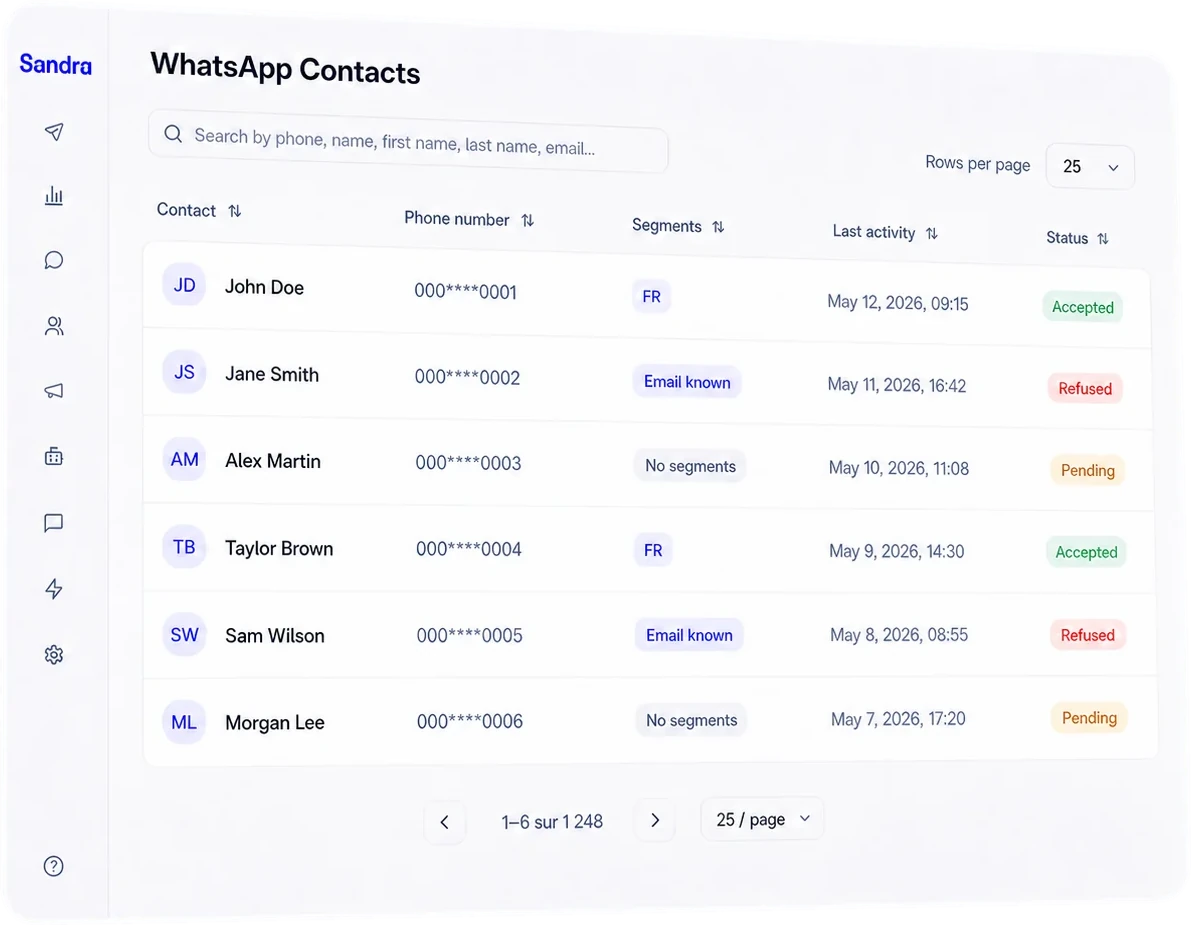
One record per contact, enriched with every conversation. Your fields, your segments. They feed straight into campaign targeting and scenario personalisation.
  • Custom fields: the information that matters to your business, as text, date, number or list
  • Dynamic segments: the audience updates itself when the contact's data changes
  • History of exchanges, campaigns received and scenarios triggered, on the record
  • Import from a file, or continuous updates from your own tools
Liste des contacts Sandra, avec les segments de chaque fiche
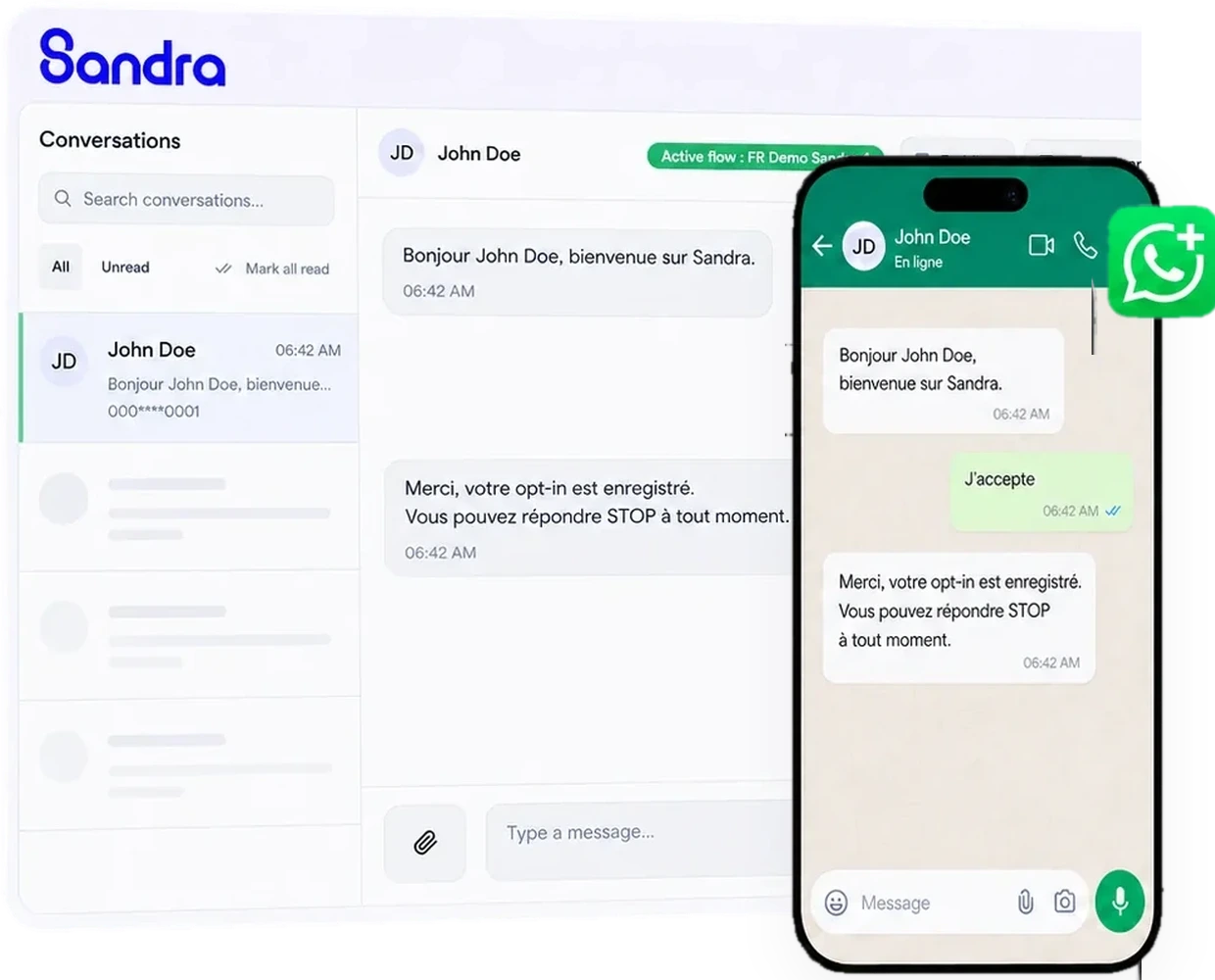
Le même numéro utilisé dans Sandra et dans WhatsApp Business

WhatsApp Business coexistence

Sandra and the WhatsApp Business app run on the same number. Your field teams keep their tool and their history, the central team gets visibility and reporting.

This is the number one blocker in enterprise WhatsApp rollouts. Removing it takes away the main reason a project never leaves the pilot stage.

Web chat and chatbot

The same conversational engine on your website as on WhatsApp. A visitor starts in the widget, continues on WhatsApp, and it's the same conversation.
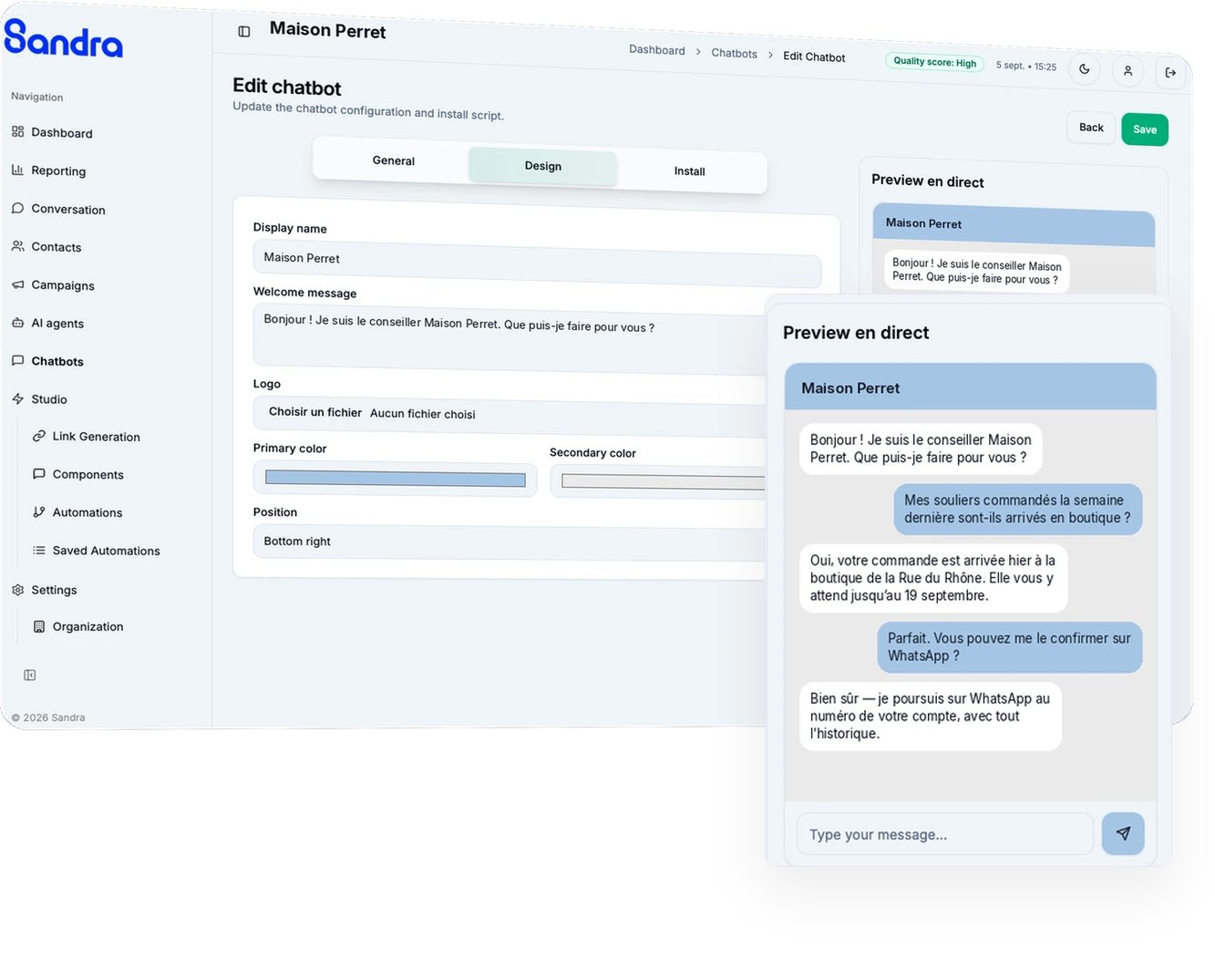
  • A widget installed with one line of script, in your brand colours
  • Your Studio scenarios and AI agents work as they are in the website chat
  • Moving from web to WhatsApp without losing the thread or asking again
  • Conversations land in the same Inbox as every other channel
Configuration du chatbot web Sandra et aperçu en direct du widget
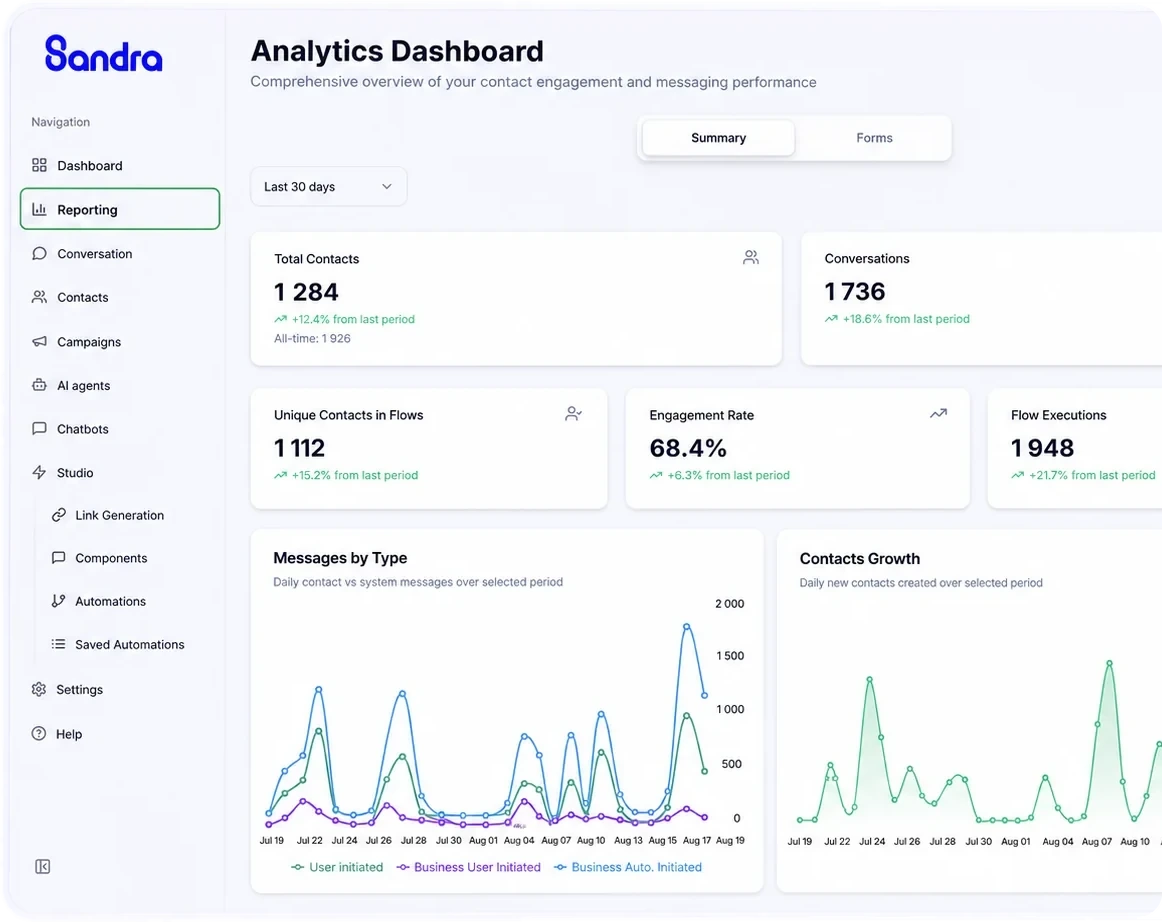
Tableau de bord analytique des conversations

Conversational analytics

Volume, response time, resolution rate, conversions by campaign and by agent. The figures you present to the board, not vanity metrics.

  • Cost per qualified conversation, comparable with your paid channels
  • Performance by campaign, by scenario and by team member
  • Raw data export and custom BI integration
  • Dashboards you can share with management

Contacts and teams

What it takes for several teams to work on the same channel

Roles and permissions

Granular access by channel, by team and by segment. A sales rep doesn't see support conversations, and the other way round.

Unified contact record

History, opt-in status, attributes and dynamic segmentation. Synchronised with your CRM both ways.

Audit log

Who saw what, who sent what, when. Complete and exportable, essential in regulated industries.

Création d'un lien WhatsApp avec message pré-rempli dans Sandra

WhatsApp link generator

Create a wa.me link that opens WhatsApp on a pre-filled message. In a shop window, on packaging, in an ad or at the foot of an email, and you see what each one brings in.
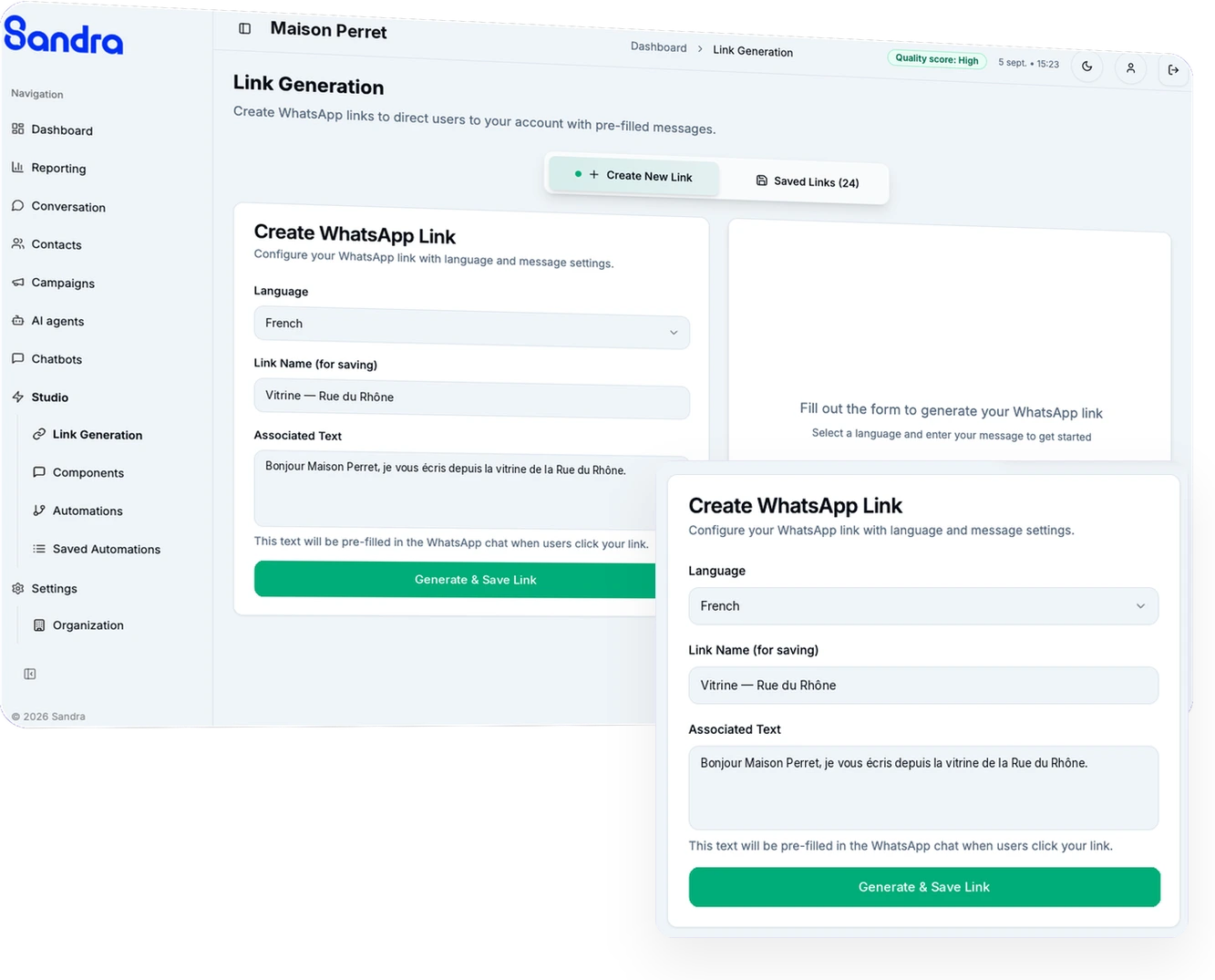
  • A pre-filled opening message, so the conversation starts at the right point in the journey
  • A QR code downloadable from every saved link, ready to print
  • One link per touchpoint, with the click count of each in plain sight
  • A Studio scenario triggered directly from the very first contact

Fits into what you already run

CRM, ERP, calendars, payments and marketing tools: through a native connector or through the API.

  • HubSpot
  • Salesforce
  • Pipedrive
  • Dynamics 365
  • Brevo
  • Klaviyo
  • Zendesk
  • Shopify
  • WooCommerce
  • Meta Business
  • Make
  • n8n
  • Zapier
  • MCP
  • API REST

Depending on your setup, the connection runs through a native connector or through the API. We'll tell you exactly which in thirty minutes.


Conversations that convert

A 30-minute demo is enough to see what your WhatsApp channel can produce. In Geneva or by video call.